By Joe Sgroi, Knight ATV · November 23, 2026
You press the button, open Bluetooth on your phone, and nothing. Or the music plays on one side only, or the rear pods stay quiet. We get these calls every week, and the good news is almost always the same: the speakers are fine. It's usually a connector that isn't fully seated, a step done out of order, or a phone setting.
I'm Joe Sgroi, founder of Knight ATV. Every kit we build gets tested before it leaves our shop, and I've walked a lot of riders through getting their system going over the phone. This guide covers the checks we use, in the order we use them: power, Bluetooth pairing, phone settings, one side out, rear speakers and subwoofers, weak sound, and what to look at after a day in the mud. Most fixes take five minutes and no tools.

Quick answer: the 60-second checklist
- Press the push button and listen for the tone. A tone means the system has power. No tone? Start with the power checks below.
- Look for the blue light on the amplifier. Our FAQ says it simply: if Bluetooth won't connect, make sure the amp has a blue light on.
- Pick "Knight ATV" in your phone's Bluetooth list, not "Smart Remote". The remote and the speakers are two separate Bluetooth devices.
- Turn the volume up on your phone and on the remote, and make sure no other phone grabbed the speakers first.
- Re-seat the connectors with a dab of dielectric grease. Most "dead" systems come back right here.
How a Knight ATV speaker kit is wired
Knowing the layout makes every check below easy. On every Knight ATV fender speaker kit, the left pod holds the Bluetooth marine amplifier. The main power harness runs from the battery to that pod and has three differently shaped connectors, so nothing can get mixed up:
- The triangle connector goes to the waterproof push button.
- The black connector goes to the voltage booster (the silver box). The booster's other side is already plugged into the amp.
- One amp channel comes pre-wired to the speaker in the left pod. A speaker extension runs under the front fender to the right pod.
The LED controller plugs in with its own connectors (line up the little arrows), and the kit includes two remotes: the smart handlebar remote for music and the small LED remote for the lights. Red goes to battery positive, black to negative. That's the whole system. Our surround sound wiring diagram (PDF) shows every cable by part number, and the full install video below covers it start to finish. Jump to 12:40 for connecting the smart remote.
One more thing worth knowing: we plug in and test every kit before it ships, then unplug the harness so you can install it. So if something isn't working after the install, the answer is almost always in a connection made during the install, and that's good news, because it's easy to fix.
1. No power, no tone: the system won't turn on
When you press the push button, you should hear a tone. In our install video, we hook the harness to the battery, press the button and you hear it: "You should hear a noise. That just tells you that it's turned on." No tone means the amp isn't getting power. Check these in order:
- Polarity at the battery. Red to positive (+), black to negative (−). This is the first thing our install guides list under troubleshooting.
- Tight, clean battery terminals. A ring terminal that spins on the post, or a green, crusty post, can stop the system cold. Clean it, tighten it and try again.
- The black connector at the voltage booster. Our troubleshooting notes call this out by name: make sure the black connector is fully seated in the booster. Push until it clicks.
- The triangle connector at the push button. If the button isn't plugged in, the system can't switch on.
- The battery itself. A weak battery can crank the engine and still not be happy. Our post on ATV speakers draining your battery shows how to check resting voltage with a basic multimeter.
- The amp fuse. Our Waterproof Bluetooth Amplifier is specified with a 10 A fuse. If you find a blown fuse, replace it with the same rating, then look for the reason, such as a power wire rubbing on the frame, before you ride.
About key-switched power: Knight ATV kits are wired straight to the battery and switched with their own waterproof push button, so they work with the key on or off. That's on purpose: no splicing into your factory wiring, and music at camp with the engine off. If you or a shop rewired the system through a key-on circuit or a relay, the system will only play with the key on, and that circuit is the first place to check when it goes quiet.

2. ATV Bluetooth speaker won't connect
This is the most common call we get, and it's nearly always about order. Here's the pairing sequence we use in our install videos and guides:
- Power on. Press the push button and listen for the tone.
- Check for the blue light on the amplifier. That's the amp telling you it's ready.
- On your phone, open Bluetooth settings and tap "Knight ATV". When it connects, you'll hear the tone again. That second tone is your confirmation.
- Pair the smart remote second. Press any button on the remote and it starts flashing. It shows up in your Bluetooth list as "Smart Remote". Tap it to pair.
- Tap "Knight ATV" again if it dropped. In our install video, the phone disconnected from the speakers while the remote paired. A quick tap on "Knight ATV" put both back on, and from there the speakers and the remote worked together.
If "Smart Remote" doesn't show up while it's flashing, do what we do in the video: turn your phone's Bluetooth off, turn it back on, and look again. It popped right up.
Here's a short video on using the smart remote once it's paired:
Phone-side fixes
If the amp has its blue light and your phone still won't connect, the fix is usually on the phone. These steps come straight from Apple's and Google's own help pages:
- Forget it and pair again. On an iPhone, go to Settings, Bluetooth, tap the info button next to "Knight ATV", then Forget This Device. On Android, go to Settings, Connected devices, tap the gear next to the device and choose Forget. Then pair fresh.
- Stay close. Apple says an iPhone must be within about 33 feet (10 meters) of a Bluetooth accessory to pair. Pair while you're sitting on the machine.
- Turn Bluetooth off and on, then restart the phone. Google lists these as the first Bluetooth basics to try.
- Watch the Control Center button on iPhone. Apple notes that the Bluetooth button in Control Center disconnects your accessories until the next day without turning Bluetooth off. If your phone won't reconnect, turn Bluetooth on from the Settings app instead.
- Check the other phones in your group. If a buddy paired with your system before, his phone may have connected first. Have him disconnect, then connect yours.

Lost or broke a remote on the trail? The Wireless Handlebar Speaker Remote is $14.99. It's IPX67 waterproof, has backlit buttons for night rides, works with iOS and Android, and mounts in several directions on bars or a steering wheel. The small LED remote is $4.99. If your LED remote won't do anything out of the box, pull the little plastic tab out of the bottom to connect its battery.
3. Connected, but no sound
Your phone says "Connected" and still nothing comes out. Work through these:
- Volume, twice. Turn the phone volume up, then press volume up on the smart remote. Google's first fix for "can't hear music" is checking the volume on both the phone and the accessory.
- Media audio on (Android). Google says to go to Settings, Connected devices, tap the gear next to the device and make sure Media audio is turned on.
- Another device playing the music. Google also points out that another paired device, such as earbuds or a truck stereo, can be the one actually getting your music. Check the audio output in your music app and pick "Knight ATV".
- LEDs blinking but no music? That's normal. In our install video the LEDs blink in time because the LED controller is in music mode. The lights and the music are separate systems, so blinking lights don't tell you the phone is connected.

4. One speaker out, or one side's lights out
When one pod plays and the other doesn't, it's a connection between the two pods. From our install-guide troubleshooting:
- One speaker silent: check the speaker extension that runs under the front fender from the amp side to the second pod. Unplug it, add dielectric grease and plug it back in firmly at both ends.
- LEDs out on one side: re-seat the LED connectors with the little arrows lined up. The arrows set the polarity, and a connector turned around won't light.
- Just upgraded to a Gen 2 amp? Our Gen 2 install video shows that the left speaker wire is the one farther from the power wire, and that the small adapter cable plugs into the wire running to your right speaker. The three-pin power connector only goes in one way.
Route wires along the front of the quad, away from moving and hot parts, and zip-tie them only after everything plays. A wire pinched by a fender bolt or rubbed by a moving part is a classic "one side quit after a ride" cause.

5. Rear speakers or subwoofer not working
Rear pods and subwoofers run on their own slave amplifier, which gets its music from the main Bluetooth amp through an aux cord. So the rule is simple: get the front kit working first, then add the rear. Our rear install guide says the same thing, because the rear kit connects into your front amplifier and wiring harness.
- Check the aux cord. It runs from aux out on the front amp to aux in on the rear amp. The rear amp has two aux ports. Use the one coming out near all the other wires, not the one coming out of the middle.
- Check the power splitter at the booster. The power splitter wire plugs in line between the main harness and the voltage booster, then runs over to the rear amp.
- Check which amp you have. The Rear Fender Speaker Add On wiring ($149.99) works with the Knight ATV Gen 2 Amplifier. If you're running an older amp, the Gen 2 upgrade below gets you there.
- Splitter connector won't stay together? Check that the small prongs inside haven't pushed back. Push them into place and reconnect.
- Rear LEDs: the LED splitters tie the rear lights into the same controller as the front, so the front and rear lights are controlled together.
Subwoofer: our new 8" Subwoofer (pre-order, $699.99, shipping January 2027) comes with its own slave amp, booster and plug-and-play harness. If it's quiet, run through its three steps: aux wire into your existing Knight ATV amplifier, power wires to the battery (red to positive, black to negative), and press its power button.
Static or hum after adding amps? Our Add On Slave Amplifier Kit page explains it: the more amplifiers you add, the more chance of static noise, and the fix is adding a power filter (an EMI noise ground loop isolator) between your amplifier power wire and your battery. More amps also need more power, so don't overload your battery. Our Audio Isolator with Aux Wire ($19.99) is made for our waterproof amplifier.

6. Weak sound, or music cutting out at high volume
If the system plays but sounds quieter than it should, or drops out when you crank it, look at power first. An amplifier can only be as loud as the power feeding it.
- Battery and connections. Re-check the battery and terminals from section 1. A tired battery or a loose terminal shows up first at high volume.
- Is the voltage booster in the circuit? Every current Knight ATV kit runs power through the silver voltage booster to give the amp maximum power. If you bought your speakers before March 1, 2026 and don't have a booster, the Voltage Booster Upgrade is $49.99. If you bought your kit between March 1, 2025 and March 1, 2026, you may be able to get it 50% off. Email us your order number and we'll send a discount code.
- Running one of our earliest amps? The Gen 2 Amplifier Upgrade Kit ($199.99) replaces your original amp with our newest one, built for better power delivery, improved reliability and easier installation. It includes the Gen 2 amp, an updated wiring harness, a 5 ft adapter cable, a voltage booster and mounting hardware. Watch the Gen 2 install video.

The booster is tough, so don't worry if it doesn't fit inside your pod. In the Gen 2 video, we mount it right on the inside of the fender. It's very durable, so dirt hitting it is no problem.
7. After mud, water or a pressure wash
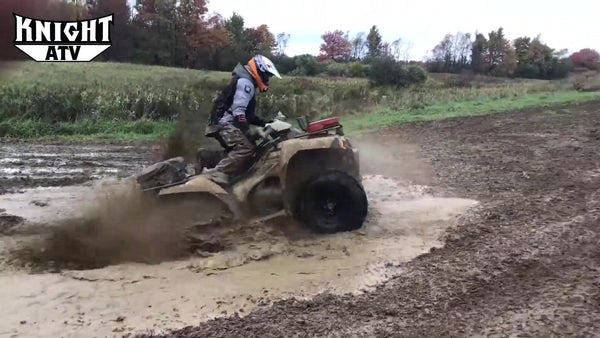
Knight ATV systems are built for riders who don't avoid mud holes. The speakers are marine-grade, our Bluetooth amplifier carries an IP-65 rating, and the smart remote is IPX67. In our fully submersible dunk test, we put the speakers, the subwoofer and the amps into a fish tank, and the Bluetooth keeps working through the water. In our Sportsman 570 mud and underwater test, the speakers came out caked in mud, one got smashed by a tire, and they were still going strong.

So if the music acts up after a wet ride, look at the connectors, not the speakers:
- Unplug, clean and grease. We put dielectric grease on every connector during the install because it protects against moisture and corrosion. If a connector was plugged in dry, unplug it, clean it, add grease and plug it back in.
- Check the battery terminals. Mud and water speed up corrosion on the posts.
- Check wire routing. Make sure nothing got pulled, pinched or snagged by brush or a stump.
- Seal the wire holes if you want extra peace of mind. A dab of silicone or duct tape around the wire entry holes isn't required, but it's a nice touch.


Quick troubleshooting table
| What you notice | Check first | Usual fix |
|---|---|---|
| No tone when you press the button | Battery polarity and terminals, black connector at the booster, triangle connector at the button | Red to +, black to −, re-seat connectors with dielectric grease |
| Phone can't find the speakers | Blue light on the amp, the right name in Bluetooth | Tap "Knight ATV", not "Smart Remote"; forget and re-pair |
| "Smart Remote" won't show up | Remote flashing after a button press | Turn phone Bluetooth off and on, then pair; tap "Knight ATV" again if it dropped |
| Connected, no sound | Phone and remote volume, Media audio, audio output | Turn both volumes up; choose "Knight ATV" as the output |
| One speaker silent | Speaker extension under the front fender | Re-seat both ends with grease |
| LEDs out on one side | LED connector arrows | Line up the arrows and re-seat |
| Rear speakers or sub silent | Front kit working, aux cord, power splitter | Aux out (front) to aux in (rear); Gen 2 amp for rear add-on |
| Static after adding amps | Number of amps on one battery | Power filter (ground loop isolator) between amp power and battery |
| Weak or cutting out at high volume | Battery, terminals, voltage booster | Charge or replace battery; add the Voltage Booster ($49.99) |
| Acting up after a wet ride | Connectors and battery posts | Clean, grease and re-seat |
Knight ATV parts that fix it
Prices checked November 23, 2026 on knightatv.com:
- Voltage Booster Upgrade: $49.99
- Knight ATV Gen 2 Amplifier Upgrade Kit: $199.99
- Waterproof Bluetooth Amplifier (2 x 100 W RMS at 4 ohms, IP-65): $149.99
- Power Wiring Harness for Speaker Kits: $19.99
- Waterproof Push Button with LED light: $14.99
- Wireless Handlebar Speaker Remote: $14.99
- LED Remote: $4.99
- Audio Isolator with Aux Wire: $19.99
- Rear Fender Speaker Add On wiring (Gen 2 amp): $149.99
- Add On Slave Amplifier Kit: $224.99
Shopping for a first system? Our fender speaker pods are custom-fit to your year, make and model, with plug-and-play wiring and a 2-year warranty. The Polaris Sportsman pods, for example, start at $549.99. Not sure which size? Read our ATV speaker size guide or see the loudest ATV speakers we've tested.
What riders say about our support
- "Great product and customer service. Had one small issue and they answered the phone on a Friday at 630 in the evening and took care of my issue." Jerry Tipsword, Can-Am Outlander 4-speaker kit
- "speakers are extremely loud! ... I referred to the online YouTube instructional videos. Joe himself even answered a bunch of questions via phone call." Mario Anderson, Can-Am Outlander speaker pods
- "absolutely amazing! easy to install, great bass ... so far so good in mud and water" Cheyenne Holland, Brute Force 450 speaker pods
Still stuck? Call us
If you've run through every check and the system still isn't right, call or text 732-737-7761 or email sales@knightatv.com before you pull anything apart. Send us photos or a short video of what's happening. It helps us find the cause fast. Our install guides say it best: most issues come down to a loose connector or reversed polarity, both quick fixes. Every Knight ATV speaker kit carries a 2-year warranty.
FAQ
Why are my ATV speakers not working?
Start with power. Press the push button and listen for the tone. No tone means no power, so check red to battery positive and black to negative, clean and tighten the terminals, and make sure the black connector is fully seated in the voltage booster and the triangle connector is plugged into the push button. If you get the tone, the issue is usually Bluetooth pairing, a phone setting or a connector between the pods.
Why won't my ATV Bluetooth speaker connect to my phone?
Make sure the amp has a blue light on, then pick "Knight ATV" in your phone's Bluetooth list, not "Smart Remote". You'll hear a tone when it connects. If it still won't connect, forget the device on your phone and pair again, stay within about 33 feet, turn Bluetooth off and on, and make sure another phone in your group isn't already connected.
How do I pair the Knight ATV smart remote?
Pair your phone to "Knight ATV" first. Then press any button on the remote so it starts flashing and tap "Smart Remote" in your phone's Bluetooth list. If it doesn't show up, turn your phone's Bluetooth off and back on. If your phone drops "Knight ATV" while the remote pairs, tap "Knight ATV" again and both will work together.
Why is only one of my ATV speakers working?
Check the speaker extension that runs under the front fender from the amp pod to the second pod. Unplug it, add dielectric grease and plug both ends back in firmly. If the lights are out on one side, re-seat the LED connectors with the little arrows lined up.
Why are my rear ATV speakers not working?
The rear speakers get their music from the front amp, so make sure the front kit works first. Then check the aux cord from aux out on the front amp to aux in on the rear amp, and the power splitter at the voltage booster. Knight ATV's rear add-on wiring works with the Gen 2 amplifier.
Are Knight ATV speakers waterproof?
Yes. The speakers are marine-grade, the Bluetooth amplifier is IP-65 rated and the smart remote is IPX67. In Knight ATV's dunk test, the amps and speakers kept playing underwater. If music acts up after a wet ride, clean and grease the connectors and check the battery terminals.
Do I need a voltage booster for my ATV speakers?
Current Knight ATV kits already include one. If you bought your speakers before March 1, 2026 and don't have the silver booster box, the Voltage Booster Upgrade is $49.99 on knightatv.com and gives your amp maximum power.
Nine times out of ten, a quiet system is one connector, one tap in your Bluetooth settings or one step out of order. Power on, listen for the tone, pick "Knight ATV", then pair the remote, and you're back to riding with music. Want more on getting the most from your system? Read riding your ATV with music.
Follow Knight ATV for sound tests, mud runs and new builds on YouTube, Instagram, Facebook and TikTok. Watch our fender speaker pod install guide, how to control your Knight ATV audio system, the Gen 2 amplifier upgrade and our underwater dunk test.
Sources: Knight ATV FAQ, speaker pod installation guide, rear fender speaker install guide, Polaris Sportsman speaker kit install guide (troubleshooting section) and surround sound wiring diagram; knightatv.com product pages (prices checked November 23, 2026); Knight ATV YouTube videos mU-8icolGXg, ToniS8MS1Io, YtnpvV5Jw_A, QfsWzQs0v2U, OGIWZg2sz4g, 4j6sFsIBFmM and EpjUEfkMR4g; Judge.me customer reviews on knightatv.com; Apple Support, Connect iPhone to Bluetooth accessories; Google, Fix Bluetooth problems on Android.